
Choosing the right mouse can change how smoothly you bring creative ideas to life. You spend hours designing, editing, and switching between tools, so a mouse that matches your workflow makes you faster and more comfortable. This comparison focuses on the two most talked-about Logitech options so you can decide based on what matters to you: ergonomics, precision, scrolling performance, connectivity, and value.
Read on to see which model fits your projects and working style.
Top Picks
|
Category |
Product |
Price |
Score |
|---|---|---|---|
|
🚀 Most Advanced |
AED 589.00 |
88/100 |
|
|
🏆 Best All-Rounder |
AED 340.00 |
90/100 |
Selection Criteria
You want a mouse that supports long creative sessions and precise control. I evaluated each model by: ergonomics — how comfortable it feels during extended use and whether its shape supports your grip; tracking and sensor performance — DPI range, accuracy, and any features like any-surface tracking; scrolling system — smoothness, speed, and whether it suits long timelines or code navigation; click feel and noise — important if you work in shared spaces; connectivity and compatibility — Bluetooth, Logi Bolt, multi-device pairing, and OS support; battery and charging — life per charge and charging convenience; and overall value — what you get for the price and how popular or well-reviewed the model is.
Each factor reflects real-world creative needs so you can pick the mouse that best matches your priorities.
🚀 Most Advanced
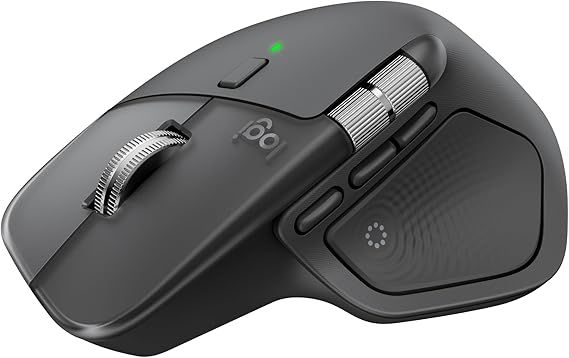
MX Master 4
If you spend a lot of time editing, designing, or juggling multiple apps, the MX Master 4 is built to keep up. It pairs seamlessly with multiple devices, gives you that precise MagSpeed scrolling for long documents or timelines, and the haptic feedback adds a satisfying, adjustable feel to your wheel.
The shape is contoured so your hand feels supported during long sessions, and USB-C charging means you don’t need a proprietary cable. Use it for daily office work, photo and video editing sessions, or when you need fine control for illustration — it’s especially handy when you switch between macOS and Windows often. If you want the most advanced feature set and comfort for marathon creative days, this is an excellent pick.
What People Say
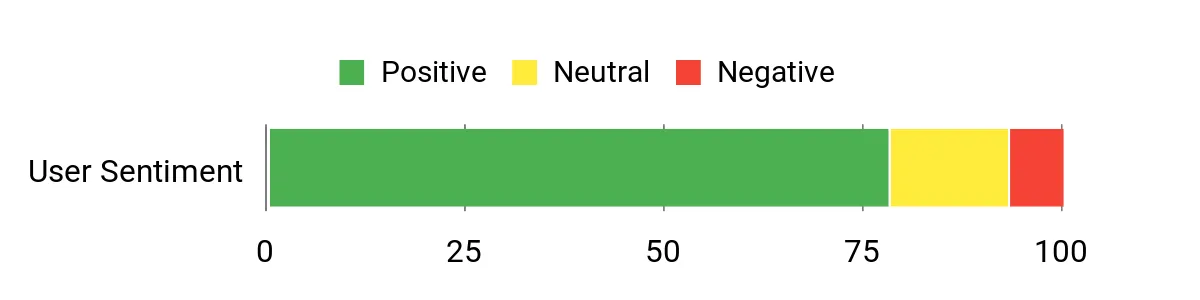
Most users praise the MX Master 4 for its scrolling precision, comfortable shape, and reliable multi-device switching. People who work long hours or handle detailed editing note reduced hand fatigue and better control over timelines and large documents.
Overall Sentiment: Positive
🗣️ CreativeSam
MagSpeed scrolling makes skimming long PDFs and timelines effortless, and the haptic wheel feels precise — helpful when I’m moving frame-by-frame in video edits. Battery life easily lasts a week of heavy use.
🗣️ DesignLee
I switch between a MacBook and a Windows desktop daily and the multi-device pairing is flawless. The ergonomic shape reduced wrist strain during long design sessions.
|
Pros |
Cons |
|---|---|
|
✅ Excellent MagSpeed haptic scrolling and precise tracking |
❌ Higher price than basic mice (you’re paying for premium features) |
|
✅ Ergonomic design built for all-day comfort |
❌ Advanced features can feel like overkill if you only do light browsing |
|
✅ Works well across multiple OSes and devices |
|
|
✅ USB-C charging and long battery life |
Ease Of Use
|
Feature |
Ease Level |
|---|---|
|
Multi-device pairing |
Easy |
|
MagSpeed scrolling |
Easy |
|
Custom gestures and buttons |
Moderate |
|
Initial setup with Logitech Options+ |
Moderate |
Durability
Solid build with quality materials; the buttons and scroll wheel feel durable enough for daily intensive use.
Comfort
Contoured shape and thumb rest make it comfortable for long creative sessions; many users report less wrist strain compared with flatter mice.
Key Benefits
- Precise MagSpeed ultra-fast and haptic scrolling for long documents and timelines
- Comfortable, ergonomic shape for extended use
- Seamless multi-device pairing with Bluetooth and USB-C charging
- Reliable performance across Windows and macOS
Current Price: AED 589.00
Rating: 4.4 out of 5 (total: 74+)
🏆 Best All-Rounder
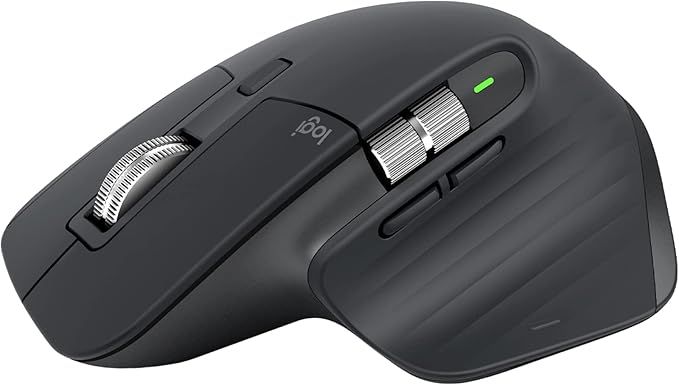
MX Master 3S
If you want a reliable workhorse that feels at home on a desk or in a studio, the MX Master 3S is that mouse. You get ultra-precise 8K DPI tracking that handles glass and textured pads without fuss, MagSpeed scrolling for flying through long documents or timelines, and very quiet clicks so you won’t disturb others during late sessions.
It pairs with multiple devices over Bluetooth or Logi Bolt and charges quickly via USB-C, so a short top-up keeps you going. Use it for daily office tasks, long editing days, photo retouching, or when you need smooth, accurate control during presentations. It’s a comfortable, sensible pick if you want pro-level features without overcomplicating things.
What People Say
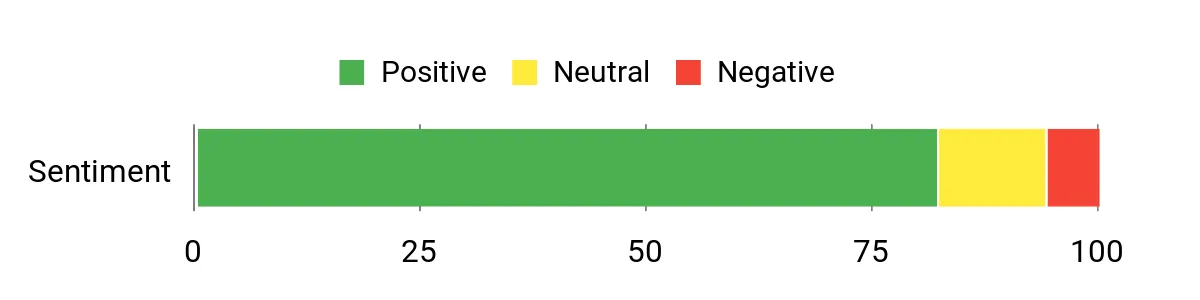
Customers commonly praise the MX Master 3S for its tracking accuracy, quiet clicks, and dependable multi-device switching. Many people note that fast charging and long battery life make it easy to keep the mouse ready for heavy use.
Overall Sentiment: Positive
🗣️ AlexR
Tracking is incredibly consistent — I can work on my laptop and then move to a glass surface without missing a beat. MagSpeed scrolling makes jumping through long timelines much faster, and the clicks are whisper-quiet during late-night edits.
🗣️ MayaC
Love that it pairs to my Mac and Windows desktop with zero drama. Fast USB-C charging means a quick 3-minute boost gives hours of use, which is handy when you forget to charge overnight.
|
Pros |
Cons |
|---|---|
|
✅ Extremely accurate 8K DPI tracking across surfaces |
❌ A bit pricey compared with basic mice — you pay for the extras |
|
✅ MagSpeed scrolling speeds up long-document navigation |
❌ Less tactile click feel if you prefer a louder, more physical click |
|
✅ Quiet click mechanism is great for shared spaces |
❌ Advanced features may be underused by casual users |
|
✅ Quick USB-C charging and robust multi-device support |
Ease Of Use
|
Feature |
Ease Level |
|---|---|
|
Multi-device pairing |
Easy |
|
MagSpeed scrolling |
Easy |
|
Custom button mapping |
Moderate |
|
Initial setup with Logitech Options+ |
Moderate |
Durability
Well-built with solid materials; the body and wheel feel like they’ll hold up to daily use for years.
Comfort
Ergonomic shape and thumb rest provide comfortable support for extended sessions, reducing hand fatigue compared with flatter mice.
Key Benefits
- 8K any-surface tracking for precise control on a variety of surfaces
- MagSpeed ultra-fast scrolling to navigate long documents and timelines
- Quiet clicks that reduce distraction during shared or late-hour work
- Multi-device pairing (Bluetooth/Logi Bolt) and USB-C fast charging
Current Price: AED 340.00
Rating: 4.5 out of 5 (total: 17,581+)
FAQ
Which Mouse Is Best for Creative Projects?
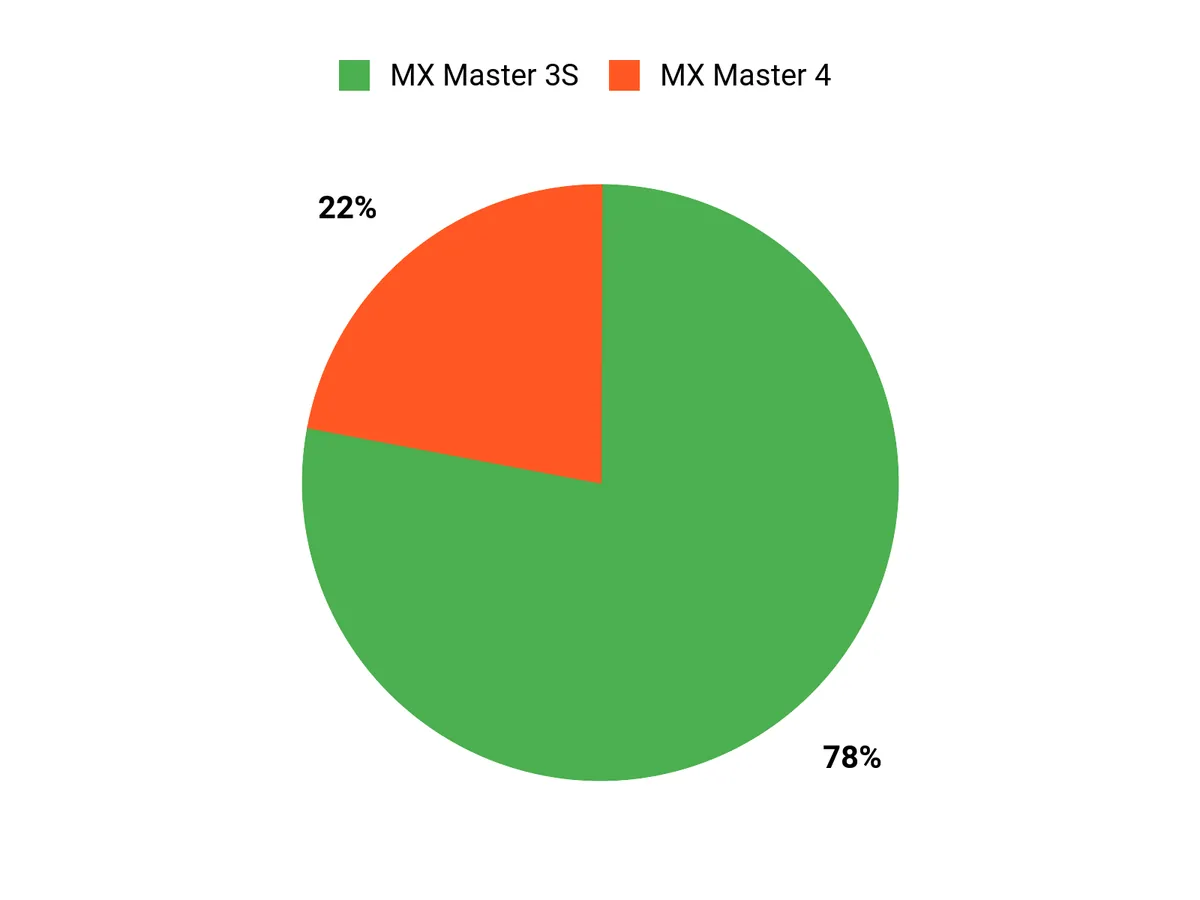
Choosing between the MX Master 4 and MX Master 3S comes down to the exact way you work. The MX Master 4 (AED 589.00, 4.4 out of 5 stars from 74 reviews) brings advanced haptic feedback and a slightly refreshed feature set that can make long editing or design sessions feel more controlled and ergonomic, while the MX Master 3S (AED 340.00, 4.5 out of 5 stars from 17,581 reviews) gives you proven performance with quieter clicks, 8K DPI any-surface tracking and excellent value.
If you prioritize the latest tactile wheel experience and a newer design for all‑day comfort, lean toward the MX Master 4; if you want precise tracking, very quiet operation, and a lower price, the MX Master 3S is likely the smarter buy for most creative workflows.
What Practical Issues Or Limitations Should You Know Before Buying?
Before you buy, try to check ergonomics in person because fit and hand posture matter more than specs; a mouse that feels wrong will hurt your workflow. Both models offer USB‑C charging and multi‑device pairing, but the MX Master 4 emphasizes its haptic wheel which feels different from the physical clicks and may take a short adjustment period, while the MX Master 3S focuses on very quiet clicks and high DPI for detailed work.
Also consider the price gap (MX Master 4 at AED 589.00 vs MX Master 3S at AED 340.00), whether you need enterprise wireless security like Logi Bolt, and that some advanced customizations require Logi Options+ software—so verify multi‑OS support and firmware updates for your platform.
How Do You Optimize Either Mouse For Your Creative Workflow?
You’ll get the most out of either mouse by customizing buttons and gestures in Logi Options+ for the apps you use most, assigning things like brush size, timeline scrub, or zoom to side buttons and the gesture pad. Use the adjustable DPI and sensitivity to match your monitor resolution, enable Flow if you work across multiple computers, keep the firmware updated, and take advantage of the MagSpeed ultra‑fast scrolling when you need to move through long documents or timelines quickly.
Finally, charge before long sessions, test different pointer speeds, and if possible try both models briefly so you can confirm which feel and sound fit your daily routine.
Which Mouse Wins?
You’ll pick based on what matters most to you: if you want the newest productivity tools—an extra horizontal thumb wheel, refined ergonomics and the latest charging/scrolling refinements—the MX Master 4 is the one to choose; if you value quieter clicks, proven comfort and a slightly better price-to-performance tradeoff, the MX Master 3S typically wins. In short, the 4 is for feature-seekers and power users, while the 3S suits quieter, tried-and-true creative workflows.
Wrapping Up
If you want the latest features and the most refined haptic experience, the MX Master 4 is the forward-looking pick that prioritizes comfort and advanced scrolling. If you value proven performance, quieter clicks, broad OS compatibility, and a stronger price-to-performance ratio, the MX Master 3S is the safer, more popular choice for most creatives. Consider whether you prioritize cutting-edge tactile features or established reliability and choose the model that aligns with your daily workflow and budget.
| Logitech MX Master 4 | Logitech MX Master 3S | |
|---|---|---|
|
|
|
|
| Rating | 4.4/5 (74 reviews) | 4.5/5 (17,581 reviews) |
| Price | 589.00 AED | 340.00 AED |
| DPI | N/A | Up to 8,000 |
| Connectivity Options |
|
|
| Battery Life | Up to 70 days on a full charge | Up to 70 days on a full charge |
| Shop Now | Shop Now |
This website provides honest product reviews based on research, testing, and user feedback. We may earn affiliate commissions from purchases made through our links. All product names, logos, and brands are property of their respective owners.